Skip to content
Chronicle

A logbook for your coding agents

Your agents forget.
Chronicle remembers.

Claude Code deletes transcripts after 30 days, and nothing carries a fix from one session to the next. Chronicle keeps every session from Claude Code, Codex, Copilot, IBM Bob and Antigravity on your Mac, writes down what was learned, and hands it back to you and your agents.

コーディングエージェントのすべてのセッションを、検索できる記憶に。

uv tool install --python 3.13 agents-chronicle

macOS 13+ · free and open source · no telemetry

Log · billing-apiFig. 01

Today 14:52 · Claude Code · fix/webhook-idempotency

Stop double charges when Stripe retries invoice.paid

completed · 4 lessons kept

Gotcha

Stripe webhook signatures need the raw request body

Parsing to JSON first fails with SignatureVerificationError. Read await request.body() and pass that.
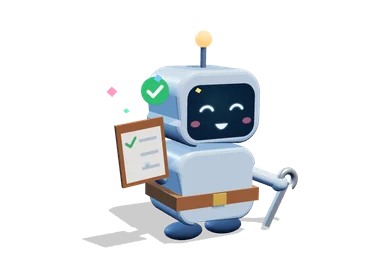

Tink, Chronicle's guide from the Blueprint Cast: a small robot with a checklist, beside a scroll of log lines
Every session, kept and readTink keeps the record

01 / Set up

Running in a minute.

Chronicle installs with uv and reads your agents' files without changing them. The analysis runs through your own Claude Code, Codex or IBM Bob, or a model provider's API with your own key: Anthropic, Amazon Bedrock, OpenAI, Azure OpenAI, OpenRouter, or Ollama on your own Mac.

  1. Step 01

    Install

    Install the command line, then let it find the coding agents on your Mac, import their past sessions and start from login.

  2. Step 02

    Work as usual

    Use Claude Code, Codex, Copilot, Bob or Antigravity as you always do. Each session is recorded once it ends and read in the background.

  3. Step 03

    Open the record

    The dashboard runs at 127.0.0.1:11524. Press ⌘K to search everything, or ask your agent what it learned last week.

uv tool install --python 3.13 agents-chronicle
chronicle install

NeedsmacOS 13 or later, and Claude Code, Codex, IBM Bob or a model provider for the analysis

Prefer an app? Download it for Apple siliconWhat the install sets up

02 / The record

Every session becomes something you can use.

Chronicle keeps the raw record, reads it, and gives it back where you need it: in a dashboard, to your agents, and beside your code.

  1. Entry 01 · Keep

    Never lose a session.

    Claude Code clears its transcripts after 30 days. Chronicle archives every session as it ends, from every agent you connect, so the conversation that fixed last month's outage is still there next year.

    What gets recorded
    Archive · all agentsFig. 02
    • today

      Stop double charges when Stripe retries invoice.paid

      Claude Code · billing-api

    • today

      Fix the checkout hydration mismatch on delivery dates

      Codex · storefront

    • 1d

      Deploy from GitHub Actions with OIDC instead of access keys

      Copilot · infra

    • 2d

      Cut similar-items latency from 4 s to 7 ms with an HNSW index

      Claude Code · recommender

    • 40d

      Set up the recommender repo

      Claude Code · recommender· deleted on day 30 kept

    Raw transcripts kept for good, on your Mac
  2. Entry 02 · Learn

    Lessons, written down for you.

    Chronicle reads each finished session with your own Claude Code, Codex or IBM Bob, or a model provider you choose, and keeps what's worth keeping: fixes, gotchas, decisions, commands. They merge into a knowledge base per project, and earn trust each time another session confirms them.

    How analysis works
    Knowledge · billing-apiFig. 03

    Fix

    Stripe retries webhooks: dedupe on event.id

    Record each event.id in processed_events in the same transaction as the side effect, and return 200 for repeats.

    Decision

    Idempotency in Postgres, not Redis

    The dedupe row commits atomically with the invoice update; a Redis key could be written while the transaction rolls back.

    Command

    Forward Stripe webhooks to the local API

    stripe listen --forward-to localhost:8000/webhooks/stripe

    Extracted automatically, then confirmed by later sessions
  3. Entry 03 · Ask

    Your agents can ask.

    Through its MCP server, an agent can search your past sessions before it re-derives anything: have we hit this error before, why did we choose Postgres here, how is this project deployed. Claude Desktop, Cursor, Windsurf and Gemini CLI can connect too.

    The MCP server
    Terminal · infraFig. 04

    you › the deploy fails with "Not authorized to perform sts:AssumeRoleWithWebIdentity". seen this before?

    ● chronicle · search_knowledge("AssumeRoleWithWebIdentity")

    └ 1 gotcha · infra · established ×2

    agent › Yes, in infra last week. For jobs with environment:, the OIDC token's sub is repo:ORG/REPO:environment:NAME, so a trust policy matching the branch fails. I'll match the environment instead.

    The agent searched first, and skipped an afternoon of debugging
  4. Entry 04 · Find

    Right next to your code.

    The VS Code extension shows the sessions behind the file you have open, and every file agents worked on in your workspace. Why is this code like this? One click, and you're reading the session that wrote it.

    The VS Code extension
    VS Code · ExplorerFig. 05

    ▾ Chronicle: This File webhooks.py

    ▾✎Stop double charges when Stripe retries…5h ago

    • ◷5h ago · Today 14:52
    • ◉Claude Code · billing-api
    • ⑂fix/webhook-idempotency
    • ±+38 −4 lines
    • ✓Outcome: completed
    • ↗Open in Chronicle

    ▸✎Stop duplicate dunning emails after deploys3d ago

    ▾ Chronicle: Files in Workspace

    • ▸alembic/versions2 sessions · 5h
    • ▾app6 sessions · 5h
    • billing.py3 sessions · 3d
    • webhooks.py2 sessions · 5h
    • ▸tests4 sessions · 5h
    Sessions behind the open file, and the whole workspace

03 / The dashboard

Read the whole record.

A local dashboard for browsing it all: on your Mac, on your phone through Tailscale, or on one hub that your other computers and your team share.

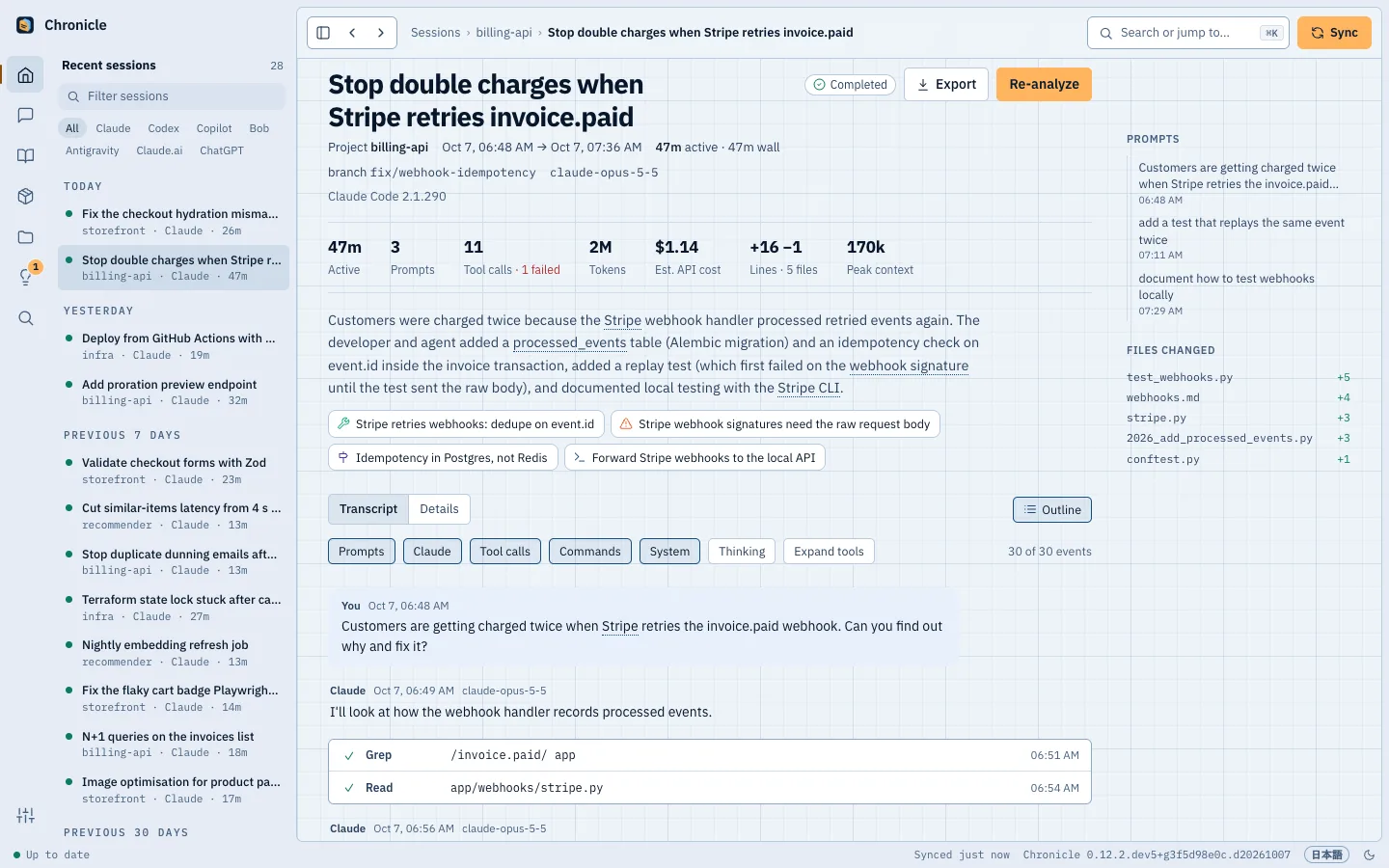
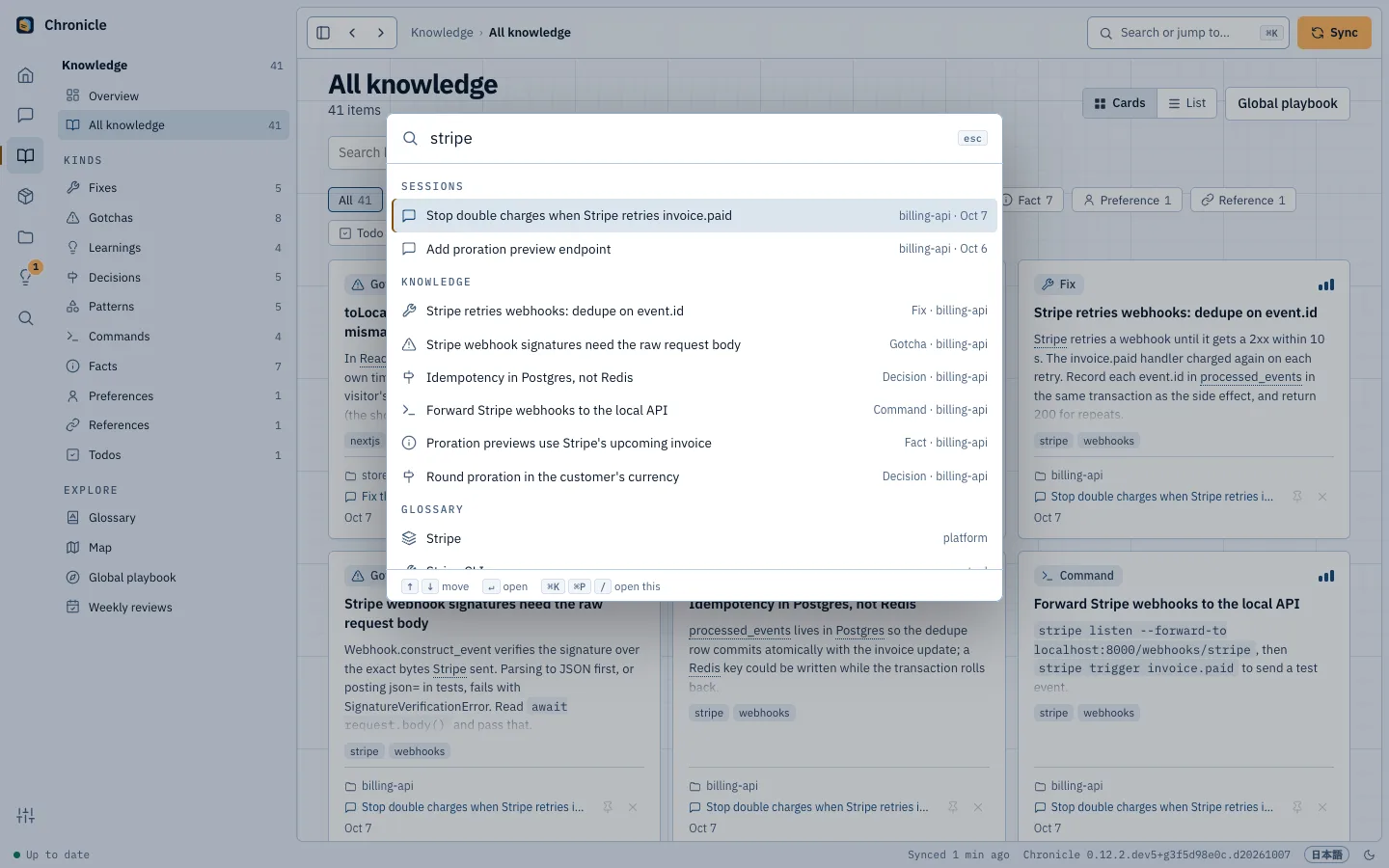
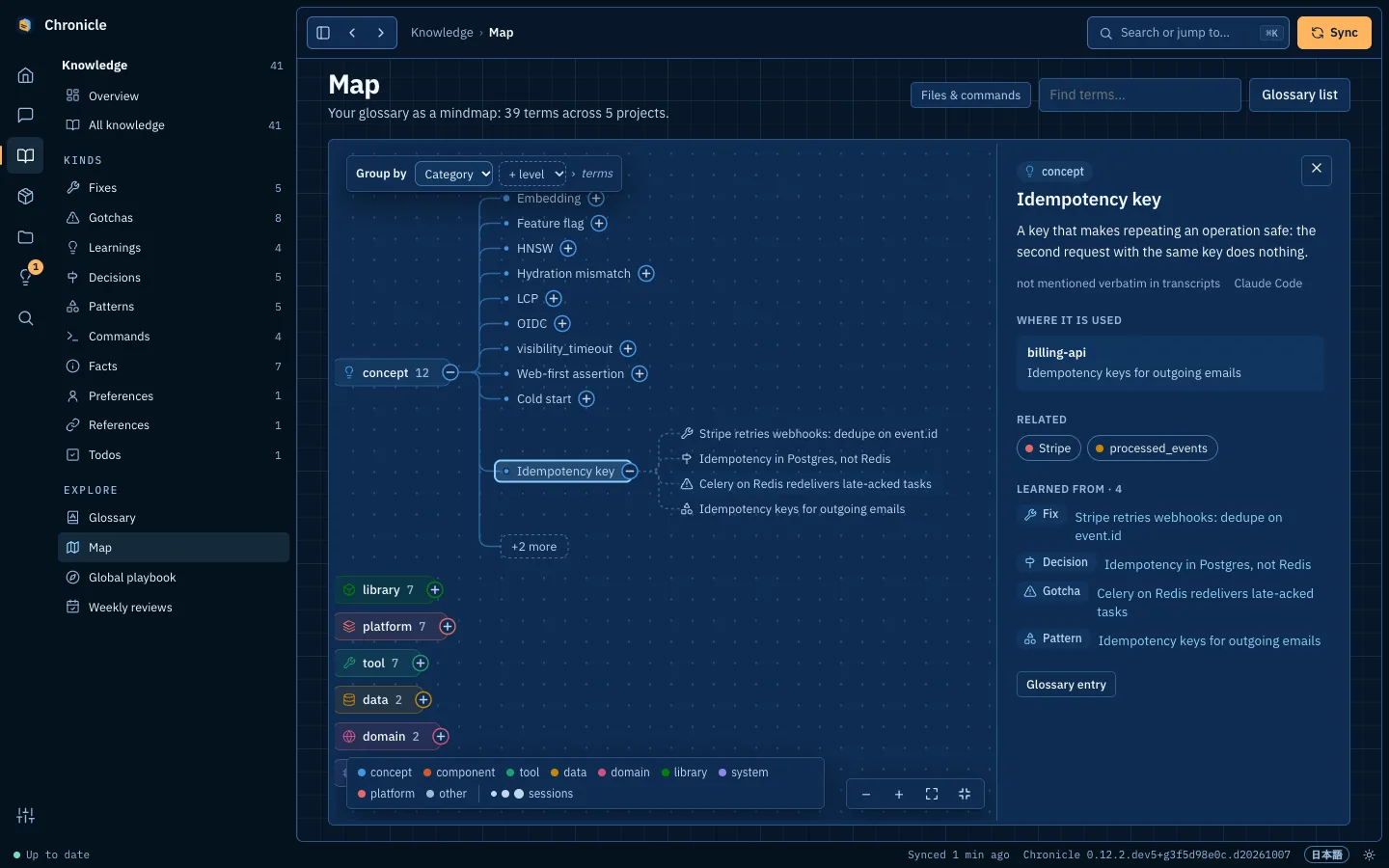
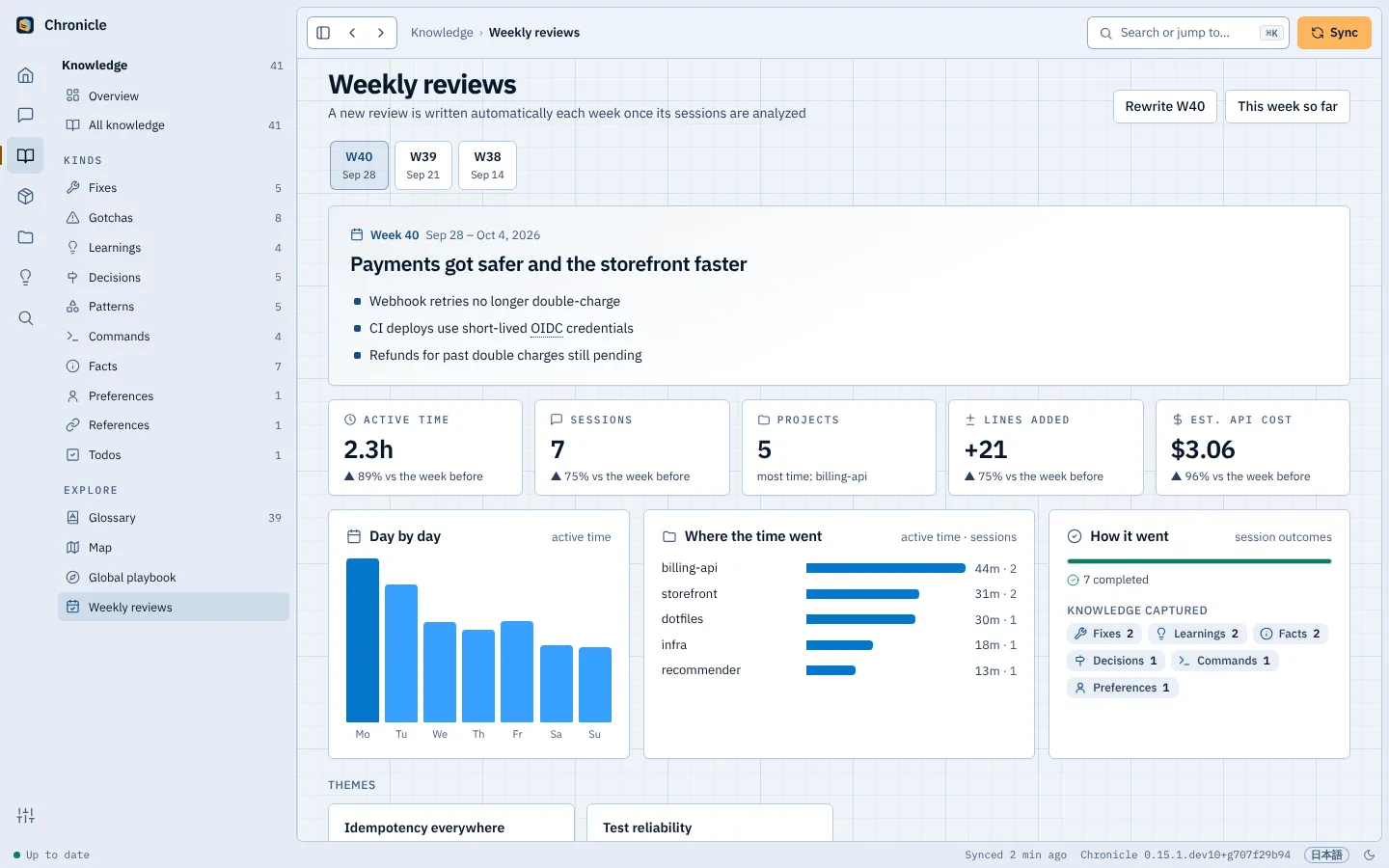
A one-minute tourFig. 06
Home, a session with what it taught, ⌘K search, the Map and a weekly review.Made-up demo data

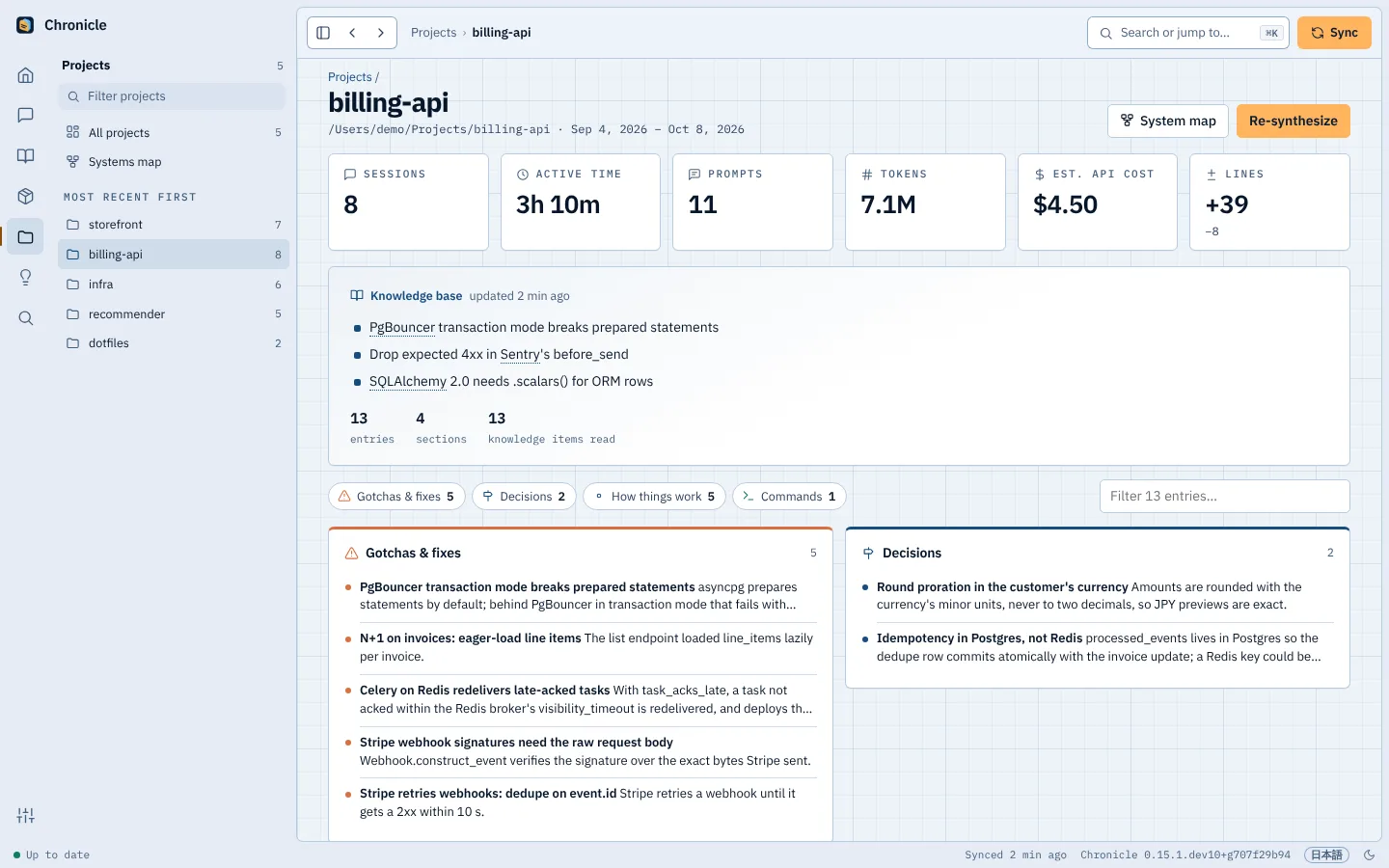
Screen by screen

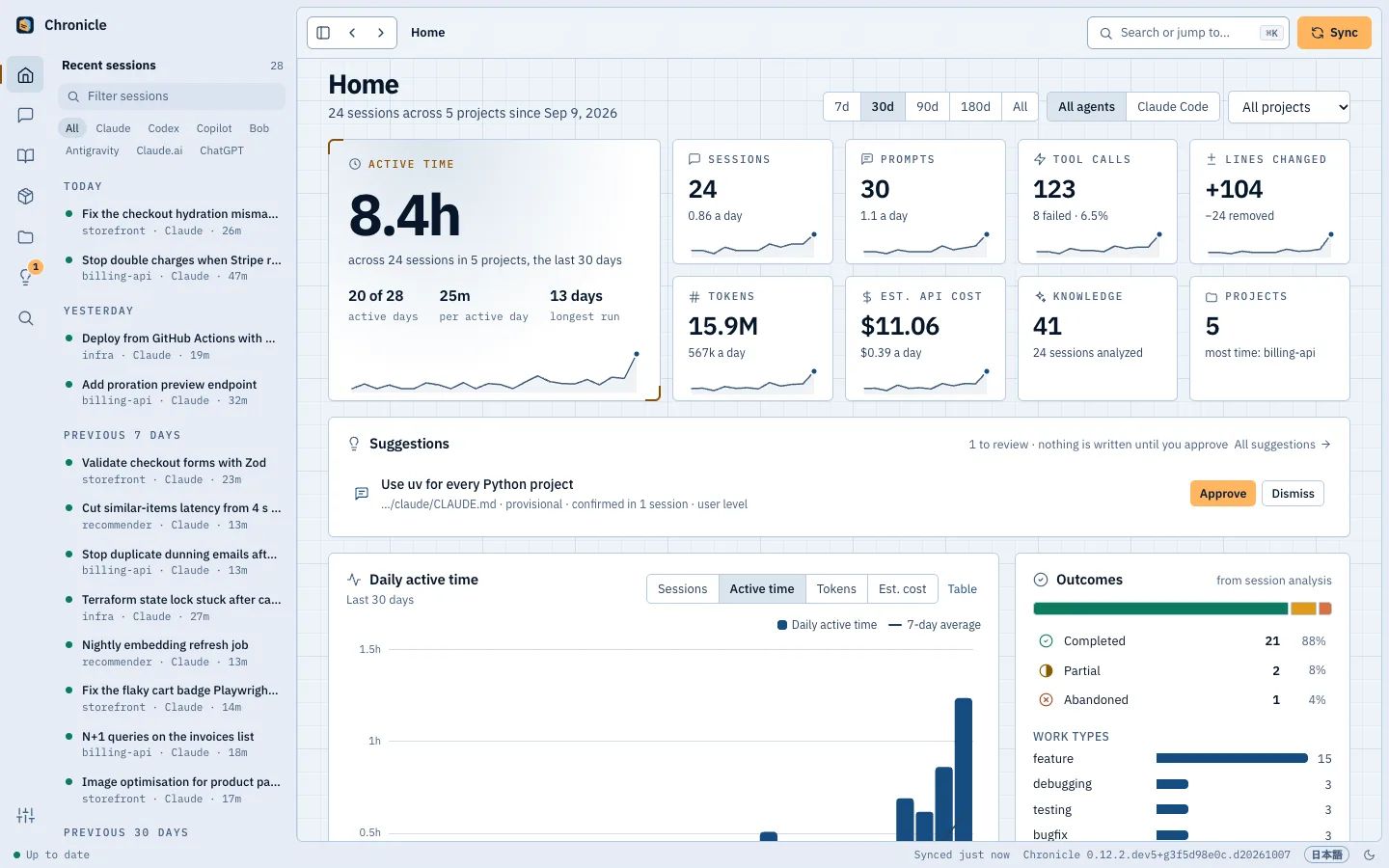
Chronicle's Home page: this week's sessions, stats and recent knowledge
This week at a glance: sessions, what they cost, what they taught.Made-up demo data

Also in the dashboard

  • Systems map

    Every project as a system, with its parts and where it is deployed, and lines where one project uses another. Drawn from your manifests and what sessions did, never by a model.

  • Artifacts

    The documents, pages, diagrams, decks, pull requests and commits your agents made, each linked to its session and marked when the file has changed or is gone.

  • Suggestions

    Lines for CLAUDE.md or AGENTS.md from what keeps going wrong and what keeps being confirmed. Nothing is written until you approve it, and Undo takes it back out.

  • Project groups

    Put related projects under one heading, by hand or by the folder they share, and filter sessions by the whole group.

04 / Sources

One record for every agent.

All of them share one dashboard, one knowledge base and one set of MCP tools. Connect more any time from Settings, or with chronicle connect.

  • Claude Codeas each session ends
  • Codexevery 15 minutes, once idle
  • Codex Cloudtasks, through the codex CLI
  • GitHub CopilotVS Code and Copilot CLI
  • IBM Bobevery 15 minutes
  • Google Antigravityevery 15 minutes
  • claude.ai and ChatGPTfrom your data export
  • Claude Desktop, Cursor, Windsurf and Gemini CLI can use the MCP server too.

05 / Your team

One agent learns it. The whole team knows it.

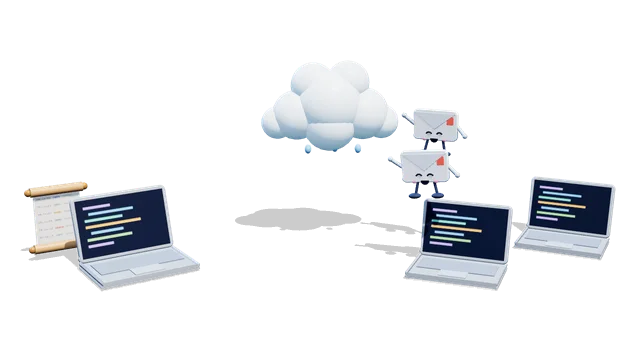
Run a hub on a server your team already has, and each person's Chronicle shares what it learned there. Transcripts can stay on each computer: the hub takes the lessons, and hands everyone's agents what their teammates learned in the same repositories.

  1. 01

    A hub in Docker.

    One compose file runs the hub, HTTPS through Caddy and a Postgres team store on any server. The hub analyzes nothing, so it needs no model and no API key.

  2. 02

    Lessons travel, transcripts stay.

    Each computer analyzes its own sessions and sends the hub only each one's summary and the project's lessons. Prompts, commands, file paths and transcripts never leave it.

  3. 03

    Teammates' lessons, in your agent.

    After each push, your computer gets back what teammates learned in the same repositories, wherever each person cloned them. The MCP tools and start-of-session notes include them, marked as teammates'.

  4. 04

    People, roles and projects.

    Invite each person as an admin, a member or read-only with a one-time code. Admins choose which projects each person sees, and every invite, sign-in and change goes into an audit log.

Hub · billing-apiFig. 07

Mika's laptop

  • Transcript, prompts, commands● stays here
  • Session summary↓ sent
  • 3 lessons about billing-api↓ sent

The team's hub

billing-api · 4 people · 58 lessons

Gotcha

Stripe webhook signatures need the raw request body

from Mika's sessions

↓ Your agent, next session

From teammates' sessions in this project (via the team hub):

- [gotcha] Stripe webhook signatures need the raw request body (from Mika)

Knowledge only: the transcript never left Mika's laptop

06 / The rules

Three rules it keeps.

Rule 1

It stays local.

No server of ours, no telemetry, no account. The archive and everything learned from it live on your own machines, and a team's hub runs on a server your team chooses.

Rule 2

It runs on your account.

The one thing sent out is the analysis: a condensed digest, secrets redacted first, through your own Claude Code, Codex or Bob login or your own API key. With Ollama, nothing leaves your Mac at all. No key of ours in the middle.

Rule 3

It says what it doesn't know.

Lessons start as seen once and earn trust as later sessions confirm them. Chronicle would rather say so than guess.

Start keeping the record.

Install it once. Every session from then on, and the ones already on your Mac, becomes part of it.

uv tool install --python 3.13 agents-chronicle